
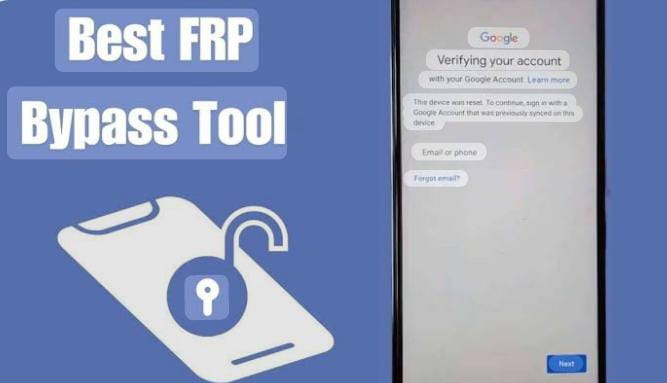
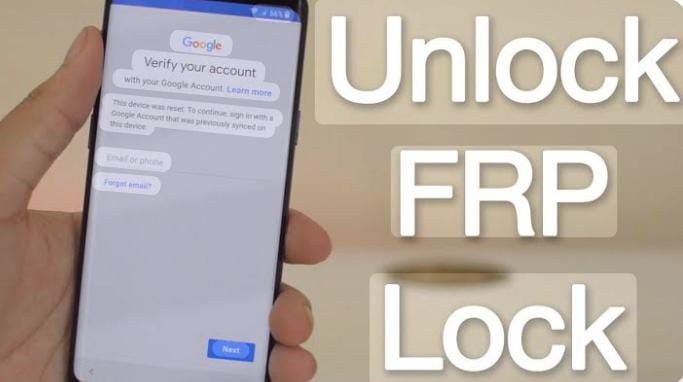
Factory Reset Protection (FRP) is a security feature by Google that automatically activates after you factory reset your phone. Once enabled, the device will ask for the previously synced Google account and password.
- You forget your Gmail ID or password,
- You buy a second-hand phone without the owner’s details,
- You reset your phone before removing your account.
Download FRP Bypass APK Files (Latest 2025 Collection)
Here’s the updated list of FRP bypass tools and APKs for Samsung, Huawei, Xiaomi, Motorola, Tecno, Infinix, Oppo, Vivo, and more.
Most Popular FRP Bypass APKs
- FRP Bypass .apk (Latest)
- vnROM Bypass APK
- addROM Bypass APK
- Technocare APK
- Frpfile/Bypass APK
- Romstage FRP.apk
- Frp Android_7.apk
- Development Setting.apk
- Quick Shortcut Maker.apk
- Activity Launcher.apk
Google Account Manager (GAM) APKs
- Google Account Manager Android 10.apk
- Google Account Manager 9.apk
- Google Account Manager 8.1.apk
- Google Account Manager 8.0.apk
- Google Account Manager 7.1.2.apk
- Google Account Manager 6.apk
- Google Account Manager 5.apk
Utility Tools for FRP
- Alliance Shield.apk (Latest)
- Notification Bar APK (Samsung)
- Package Disabler Pro.apk (All versions)
- Factory Test.apk
- Apex Launcher.apk / Nova Launcher.apk
- Xshare.apk / ES File Explorer.apk
- File Commander Manager.apk
- Huawei Phone Clone.apk
- Smart Switch Mobile.apk
- Hush SMS.apk
- FactoryReset_v1.3.apk
- CROM Service v1.0.4.apk
Tip: Always match the APK version with your Android version for best results.
How to Use FRP Bypass APK (Step-by-Step)
Method 1: Bypass via APK Installation
- Download the FRP Bypass APK for your phone model.
- Transfer it using USB, OTG cable, or SD card.
- Enable “Install from Unknown Sources” in settings.
- Install the APK and open it → navigate to Settings.
- Add a new Google account.
- Restart your phone → setup completed
Method 2: Using Google Account Manager (GAM)
- Install the correct GAM APK for your Android version.
- Install FRP Bypass APK.
- Enter your new Google account.
- Restart → FRP removed.
Method 3: Launcher + Hidden Settings
- Install Quick Shortcut Maker or Activity Launcher.
- Access hidden settings (Google, Gmail, Chrome, etc.).
- Add new Gmail account → lock bypassed.
Supported Devices & Brands
- Samsung – Galaxy S, A, Note, M, J series (All models)
- Huawei / Honor – With Phone Clone & Smart Switch
- Xiaomi / Redmi / Poco – Mi File Manager & Chrome trick
- Motorola – Moto Secure / Launcher method
- Tecno & Infinix – #0# (Enable ADB) + APKs
- Oppo / Vivo / Realme – File Manager + Launcher trick
- Other Android Phones – Universal APK support
Frequently Asked Questions (FAQs)
Q1: What is FRP Bypass APK?
It’s an app that lets you remove Google account verification after a factory reset.
Q2: Is FRP Bypass legal?
Yes, but only for your own phone or with the owner’s permission. Using it on stolen devices is illegal.
Q3: Which APK is best for FRP bypass in 2025?
The most reliable are vnROM Bypass, addROM Bypass, and Technocare.
Q4: Can FRP be bypassed without a PC?
Yes with APKs like vnROM and Quick Shortcut Maker, you don’t need a computer.
Q5: Which Android versions are supported?
Android 5 (Lollipop) → Android 13 and newer.
Q6: Does FRP bypass delete data?
No, bypassing doesn’t delete data — but factory reset already wipes your phone.
Q7: Why is my APK not installing?
Enable Install from Unknown Sources, and make sure the APK matches your Android version.
Q8: Is internet required?
Yes, Wi-Fi or mobile data is needed to add a new account.
Q9: Can I use FRP bypass on Samsung A-series phones?
Yes, Samsung A10, A20, A30, and newer models can be unlocked with Alliance Shield / vnROM.
Q10: What’s the safest way to download FRP APK?
Only download from trusted sites. Avoid random files to protect your phone from malware.
Common FRP Problems & Solutions
Problem: Phone stuck at Google verification screen.
Solution: Install vnROM / addROM bypass via OTG or SD card.
Problem: APK not installing.
Solution: Enable Unknown Sources & use correct Android version APK.
Problem: Samsung phone locked even after reset.
Solution: Use Alliance Shield or Samsung Internet trick.
Problem: Can’t access File Manager
Solution: Install ES File Explorer or File Commander Manager.
Important Warnings
- Use these tools only for your own device.
- We do not support illegal use on stolen phones.
- Always download APKs from trusted sources to avoid malware.
Final Words
FRP Bypass APK is the fastest and easiest solution for unlocking any Android phone stuck at Google verification.
With tools like vnROM, addROM, Technocare, Google Account Manager, and launchers, you can quickly bypass FRP without needing advanced technical knowledge.
So, if you’re locked out after reset — don’t worry! Just pick the right APK for your phone and get back in control.